Before you record
01Plan
Say what you want to achieve.
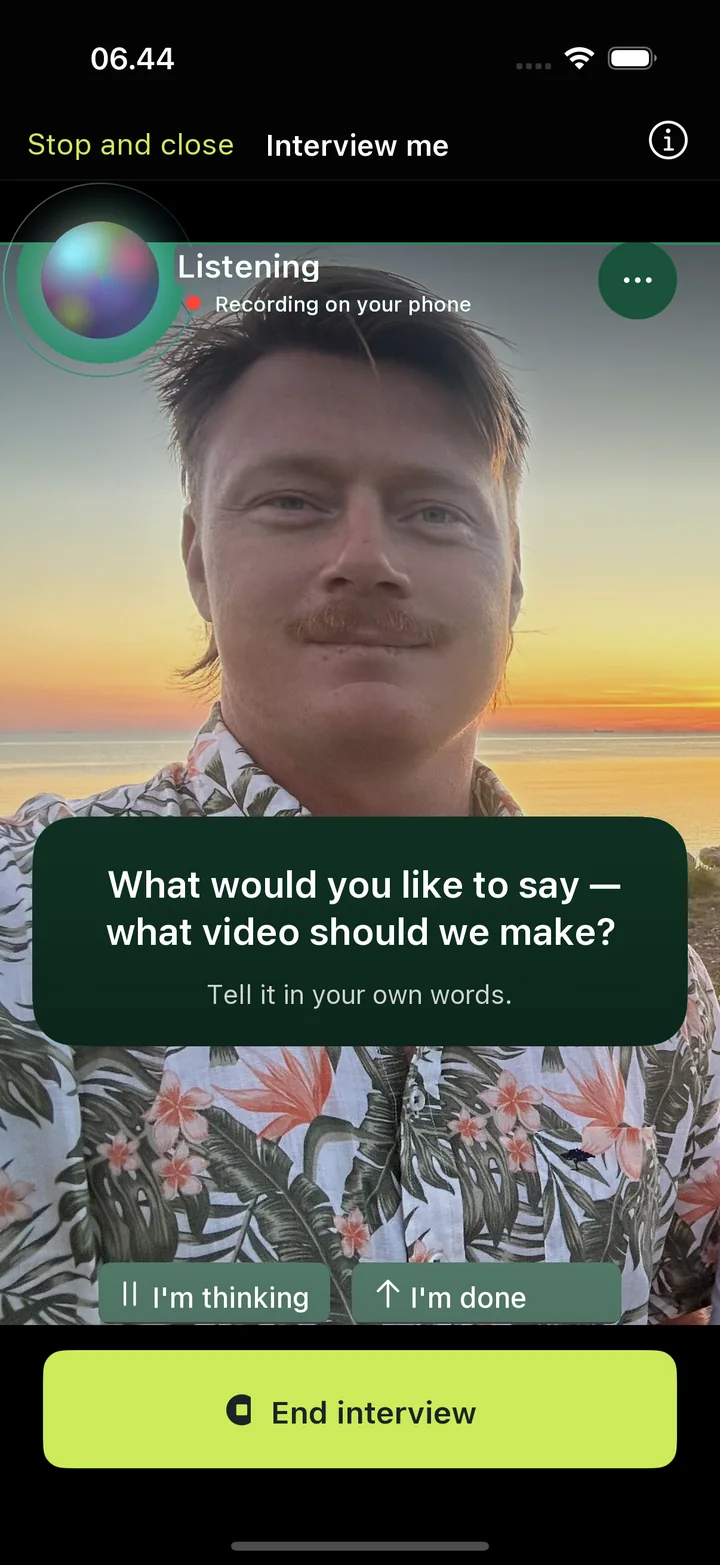
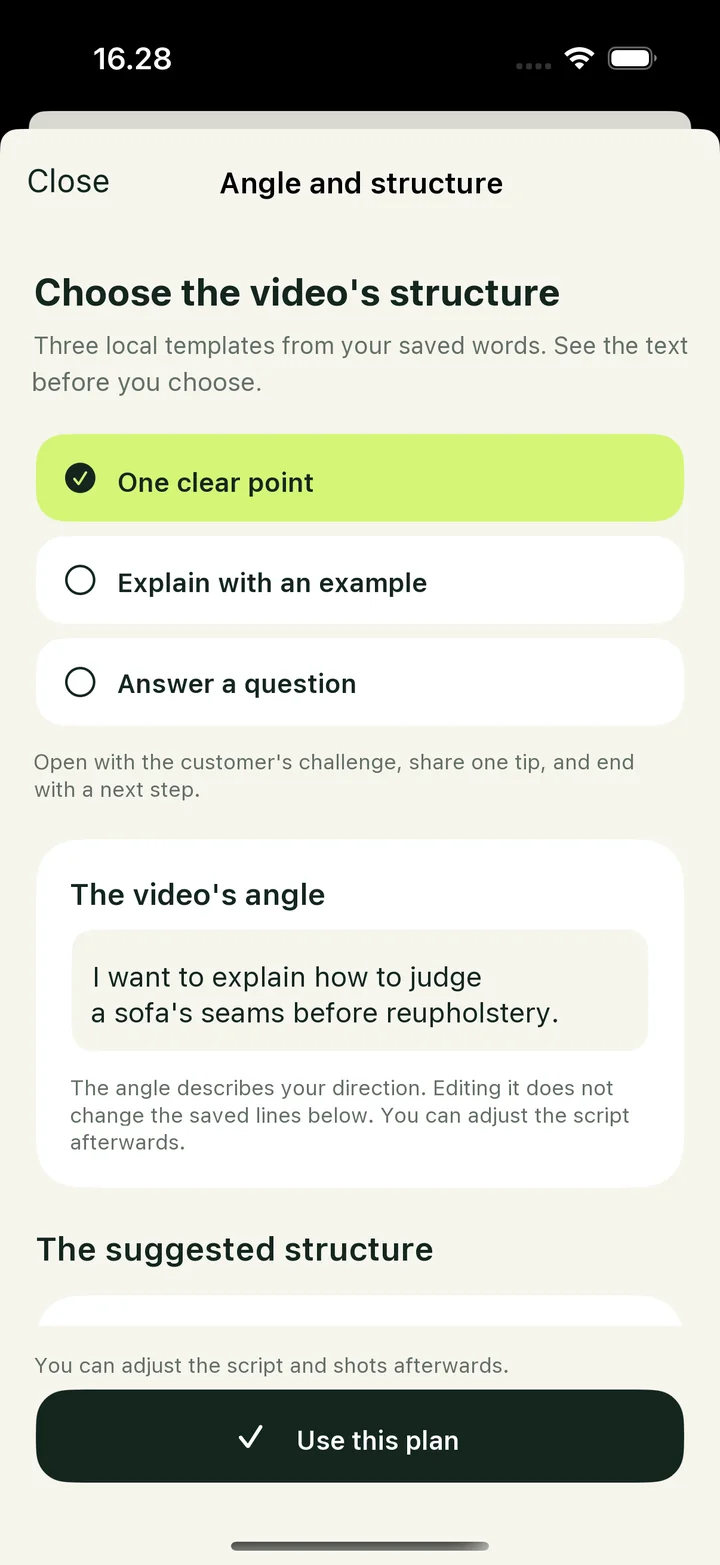
Talk, type or let the app interview you. Sprint.film turns it into a brief, a format, a script and a shot list.

 Coming soon to the App StoreFor iPhone
When they need what you sell, they pick the name they know. Sprint.film helps you make authentic, valuable videos for your social channels, week after week, with you and your own people. So yours is the name they've seen when it's time to choose.
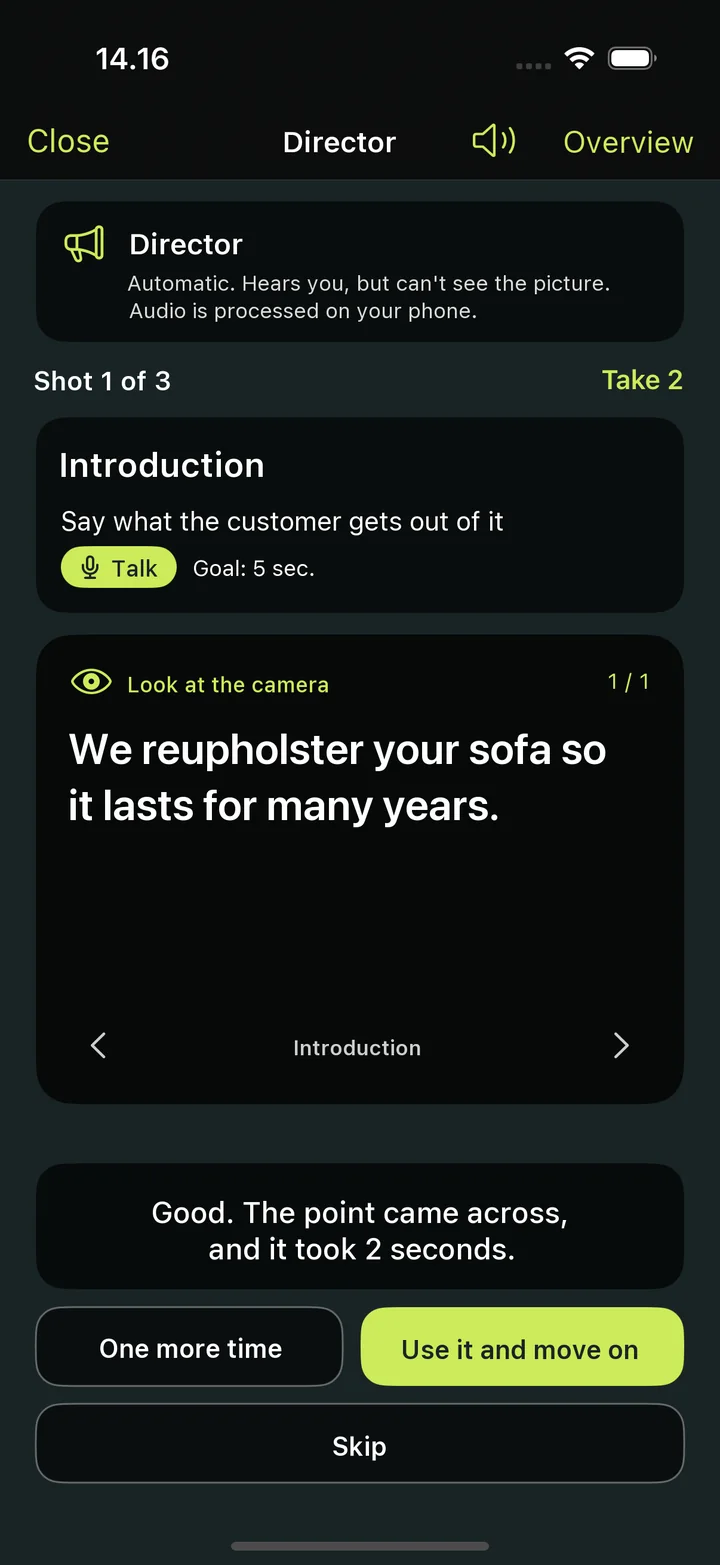
Most of your future customers aren't buying today. When they do, they usually pick a name they already know. Every week they don't see you is a week someone else becomes that name.
of business buyers aren't in the market to buy at any given time.
John Dawes, Ehrenberg-Bass Institute, for the LinkedIn B2B Institute, 2021.prefer to buy new products from brands they know.
Nielsen, Global New Product Innovation Survey, 2015. 30,000 consumers in 60 countries.of Danes aged 16–74 used social media in the past three months.
Statistics Denmark, 2026.of Danish companies with 10+ employees are active on YouTube, Instagram and similar. There's room to stand out.
Statistics Denmark, 2023. Private companies.People remember people. Sprint.film makes it easy to show up every week with videos people actually want to watch.
The research points the same way. People trust ads less when they suspect AI, and human-made ads score higher on sales. Few are confident they can tell the difference. That's why Sprint.film uses AI for the groundwork and the craft. In front of the camera, it's you, your colleagues and your customers.
say AI makes ads feel less authentic.
are less likely to trust an ad they suspect is AI-made.
are less likely to buy from a brand that uses AI-generated ads.
Source: Harris Poll, the 4As and Infillion, “I Never Asked for This”, June 2026.
stronger short-term sales effect for human-made ads. Long-term brand effect: +17%.
felt confident they could spot an AI ad.
Source: Ipsos and Syracuse University Newhouse School, May 2026. 3,000 US consumers.
Real sells better. So that's what we build on.
You don't have to guess which video works. Post lots of short videos organically, see which ones catch on, and turn the winners into ads. Every round teaches you more about your audience and makes you a better storyteller.
Lots of short videos with real people. Testing an idea costs almost nothing.
Measure every video against your own earlier ones: how many keep watching after the first seconds, share it and save it?
Your ad budget goes to videos that have already proven themselves.
New hooks, angles and formats. Variety in ideas matters more than the number of ads.
Meta's ad system groups near-identical ads, so they can count as one. Different ideas give a campaign more to work with than more copies of the same one.
Talk, type or let the app interview you. Sprint.film turns it into a brief, a format, a script and a shot list.
Teleprompter, director and a light and sound check before you start.
Sprint.film reads the numbers from your posts and explains why one video outperforms the rest.
New hooks, shorter cuts and formats for every channel. Mostly from your own footage.
The app covers the whole loop, from brief and script to recording, editing, publishing, measurement and the next version.
Both ways lead to the same video. Start with what you've already captured or with an idea. Sprint.film keeps footage, notes and decisions in one place.
Tap Record. No title, campaign or script needed. Afterwards you choose which video the clip belongs to, and the app asks the few questions it still needs answered.
Describe the idea by typing, talking or on video. The AI helps with angle and audience and builds the video's structure with script and shots. You choose the direction.
The video stays on your phone during the conversation. Only the audio and the video's text are sent to the AI, and only with your consent.
Talk freely. Sprint.film turns it into a brief with goal, audience, offer and the action the video should drive.
Expert tip, product explainer, short presentation and more. Each format comes with suggested hooks.
Use your own AI assistant, such as ChatGPT or Claude, to think it through. Open the same plan on your phone when it's time to record.
Record with the director: it reads the instruction aloud, shows the text on the teleprompter and listens to your take. Afterwards you get one short note at most, and it's always a suggestion. You decide.
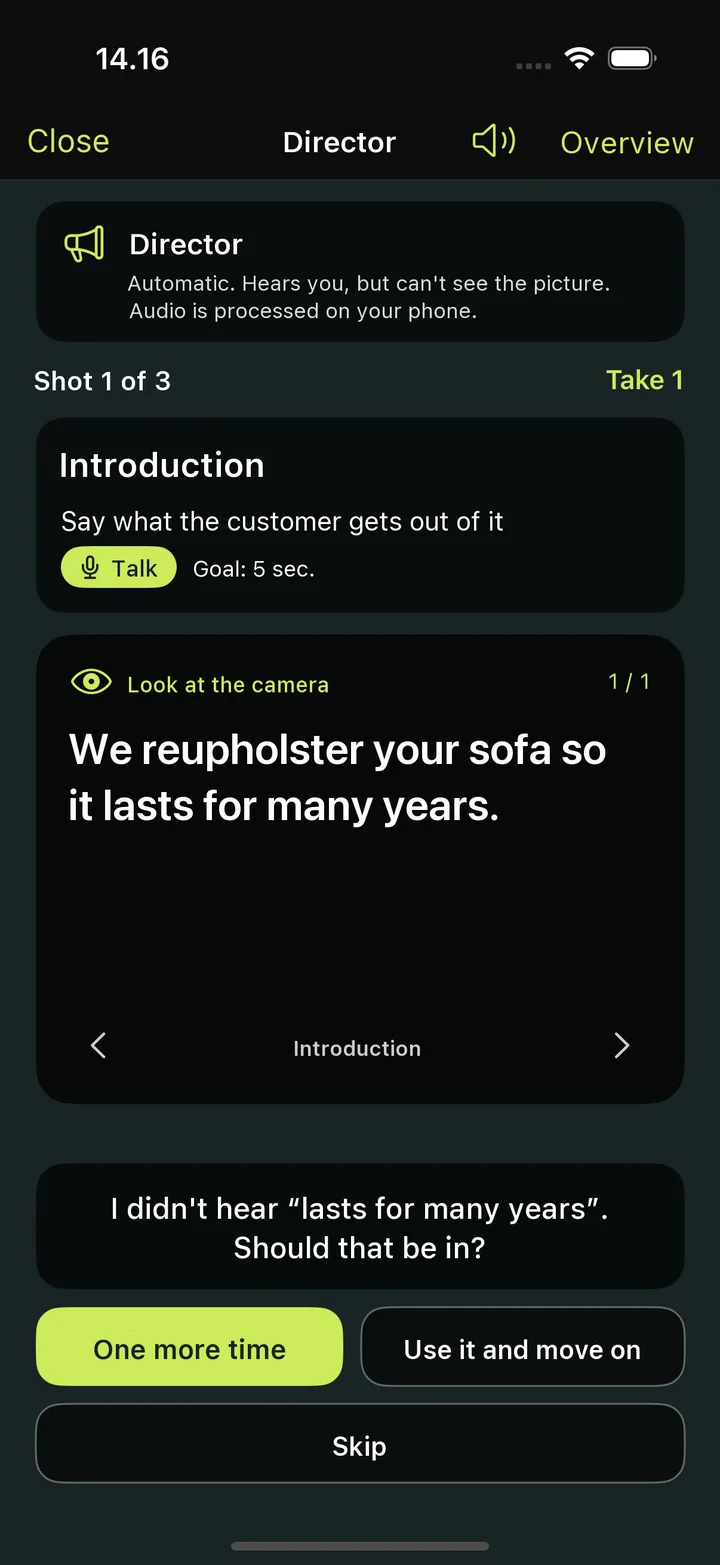
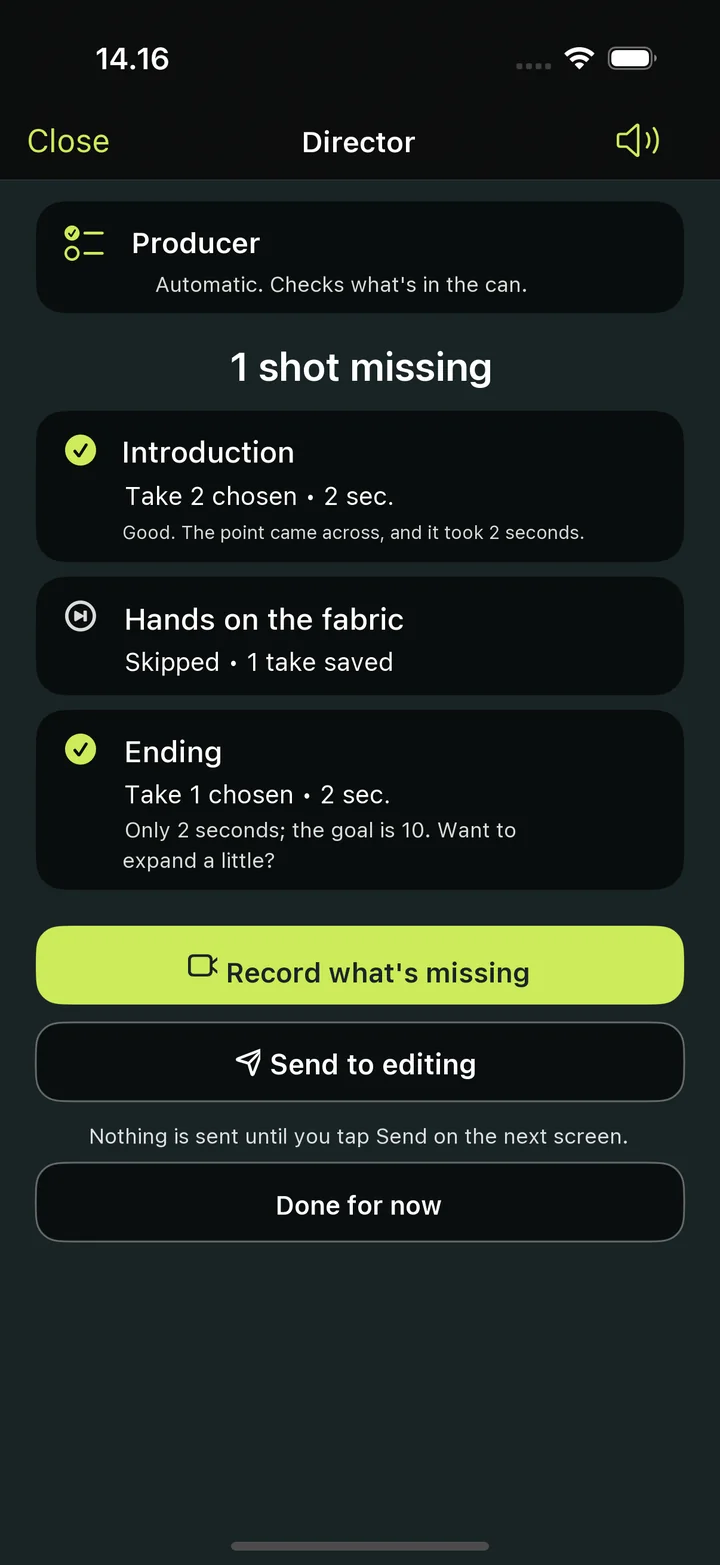
Your phone checks light, noise and framing and suggests fixes before you hit record.
The text follows your voice and marks the lines to retake.
“A bit fast. Take it slower.” You choose: One more time, Use it and move on, or Skip.
While you record, the app asks for a few alternative hooks and cutaways. So the material is ready if the video becomes a winner.
Short videos are edited automatically with captions, your logo and your colours. When a video has to be just right, Simon finishes it in Final Cut Pro. You send, track and approve it all in the app.
Sprint.film removes pauses and false starts, picks the best takes and adds captions and your brand. Make fixes with a tap.
Send the video to editing. Simon gets your takes, notes, script and brand in one place and finishes the edit. You get it back for approval.
Scripts approved by a human, remotely directed recordings, monthly campaigns and on-location shoot days.
Nothing is sent to editing without your yes.
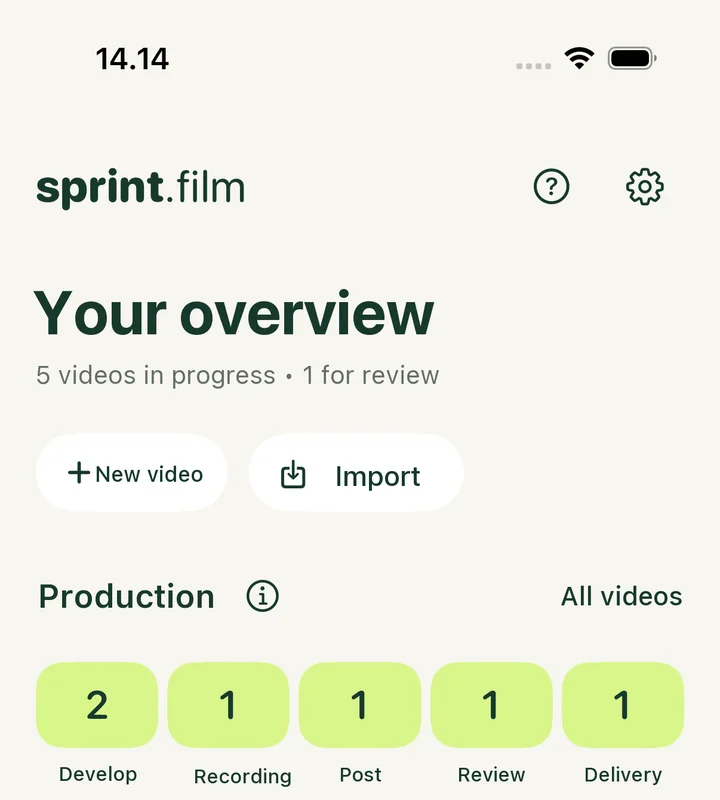
Once your videos are out, Sprint.film pulls the numbers from your posts and compares each video with your own earlier ones. When the app finds a winner, it explains why and suggests what the next version should try.
Measured against your own videos, not anyone else's.
Was it the hook, the first frame, the message, the pacing or the call to action?
First new cuts of what you've already filmed. Then a short pickup with the teleprompter. AI help only with your consent.
Hooks, angles and formats for every channel, ready for ads and posts.
Every new version is measured, and the loop starts over.
Why: The hook shows the problem in the first second, and the point lands before viewers scroll on.
NEXT VERSIONS“What do you want to achieve — and who do you want to reach?”
The AI looks into audience, market and creative references and proposes a direction with sources. You choose. Only then does it turn into concrete videos.
The person in front of the camera is always at the centre. Sprint.film never generates the face in your message.
The AI researches, suggests and shows its sources. The direction and the important choices are yours, and nothing is sent without your yes.
Scripts that sound like real speech and captions that respect the language. Built in Danish, with English included.
The original is saved before anything else happens. AI changes to a face or voice always require consent and are labelled.

I've made films for the National Museum of Denmark, training ships and companies for many years. A good film starts long before the recording, with a clear point and the right questions. Sprint.film puts that experience into an app. You get help with the groundwork and the recording, and when it matters, I finish the edit myself.
Simon Wozniak · Sprint Film
About Sprint FilmSprint.film is coming soon to the App Store for iPhone. There is no public download link yet. Write to simon@sprint.film and we'll let you know when it's ready.
Both. Short videos can be edited automatically with captions and your brand. When a video has to be just right, Simon finishes it in Final Cut Pro, and you approve it before it's delivered.
No. It's your own footage with real people. AI helps with planning, directing, editing and small fixes, never with replacing the face.
Short videos for social media, ads and websites: expert tips, product explainers, presentations and full campaigns.
Prices will be on this page at launch. There will be a subscription in the app and plans where Simon edits and produces for you.
It's saved on your phone first. Nothing is sent to editing without your yes, and the AI features only use what you've agreed to.
Sprint.film is built in Danish, and English is included.
Sprint.film is coming to iPhone first.
Get notified when Sprint.film lands in the App Store. If your company would like to try the app before launch, write to Simon.
simon@sprint.film Or call +45 29 76 72 25